N8N的HTTP Request 节点,有一个功能,通过cURL倒入,非常方便,对于非程序员来说,友好很多,但是有两个坑,需要注意一下。
- curl倒入,代码没有嵌套,N8N,使用field,如果代码有嵌套,使用JSON,
- 使用field,有的字段会出现问题。下面解析。
尽量避免使用filed,手工使用JSON
Minimax 生图
一个手动出发器,连接一个 HTTP Request 节点,就可以实现。问题就是HTTP Request 节点如何设置
打开Minimax的文档中心,API参考
文生图
可以看到右边有一个curl 例子,非常实用,直接copy就可以。填入自己的key。key一定要注意,前面有Bearer
1
2
3
4
5
6
7
8
9
10
11
12
13
14
15
curl --request POST \
  --url https://api.minimaxi.com/v1/image_generation \
  --header 'Authorization: Bearer <token>' \
  --header 'Content-Type: application/json' \
  --data '
{
  "model": "image-01",
  "prompt": "A man in a white t-shirt, full-body, standing front view, outdoors, with the Venice Beach sign in the background, Los Angeles. Fashion photography in 90s documentary style, film grain, photorealistic.",
  "aspect_ratio": "16:9",
  "response_format": "url",
  "n": 3,
  "prompt_optimizer": true
}
'
n8n里打开HTTP Request节点,选择 import cURL,将上面内容贴入。建议你先在文本里,输入自己的key,再倒入。
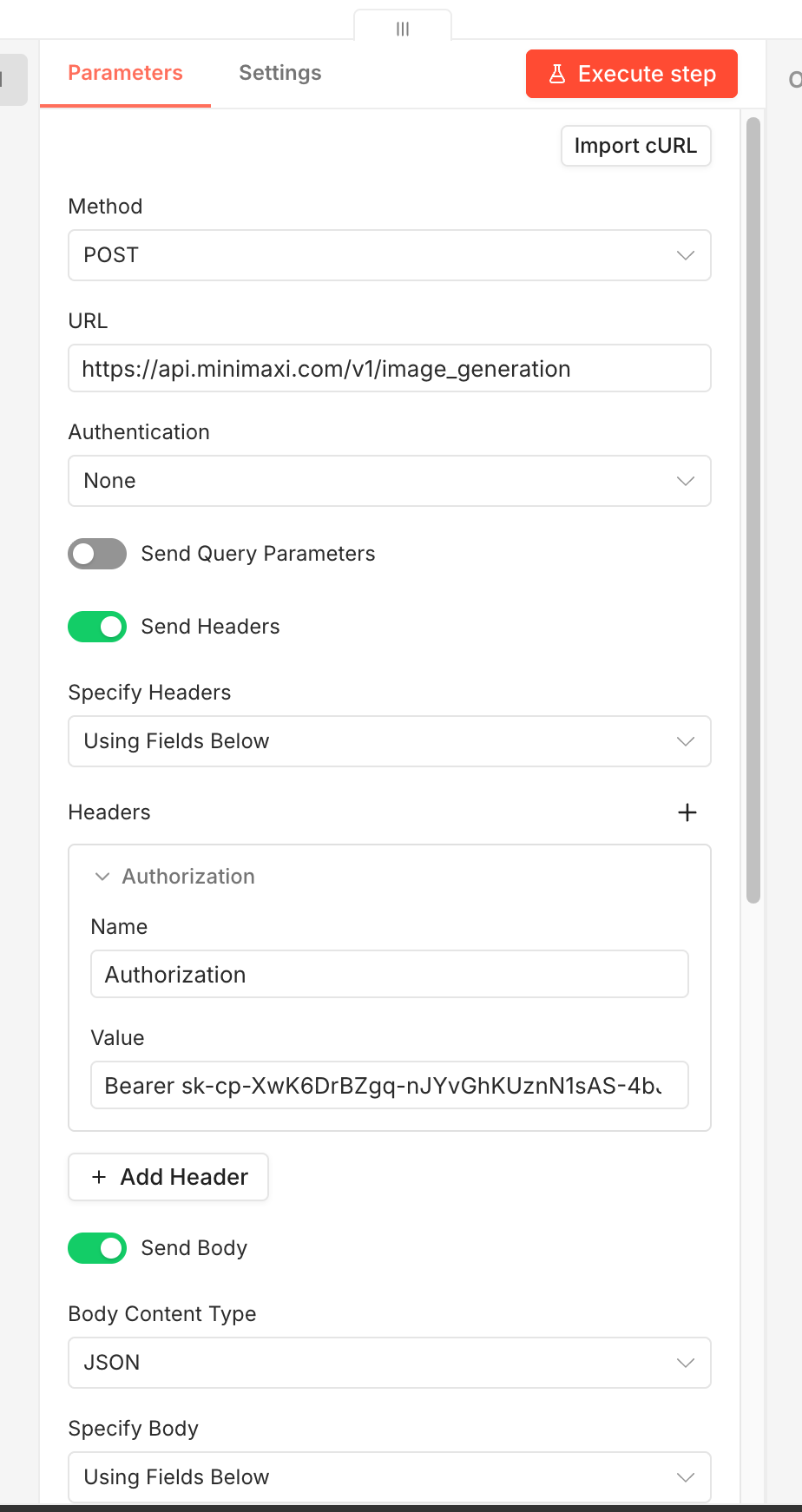
倒入参数后,结果你发现点击执行,出错。这时候就郁闷。
方法1
修改参数,原因是因为
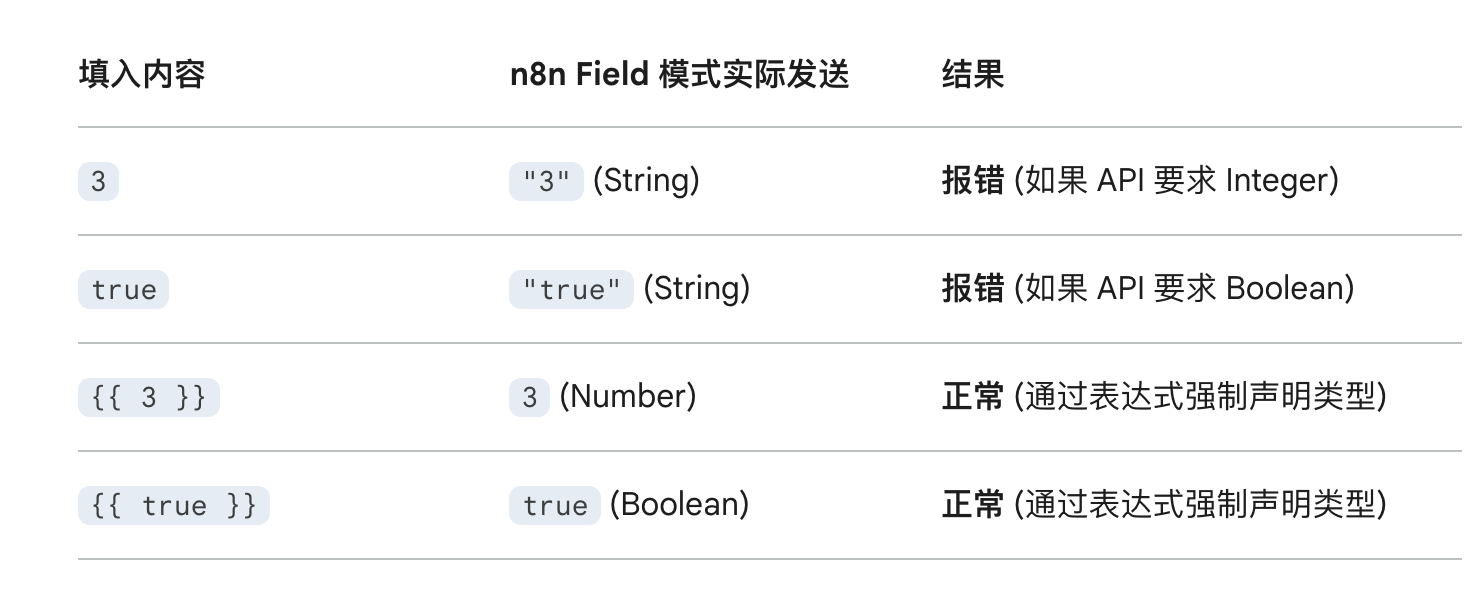
调整完成就正常。
方法2
把 Using Fields Below,改成 Using JSON,输入下面内容
1
2
3
4
5
6
7
8
9

{
  "model": "image-01",
  "prompt": "A man in a white t-shirt, full-body, standing front view, outdoors, with the Venice Beach sign in the background, Los Angeles. Fashion photography in 90s documentary style, film grain, photorealistic.",
  "aspect_ratio": "16:9",
  "response_format": "url",
  "n": 3,
  "prompt_optimizer": true
}
填入你的key,都可以工作正常。
参考
阿里云百炼的模型,curl,是嵌套,倒入直接using JSON
